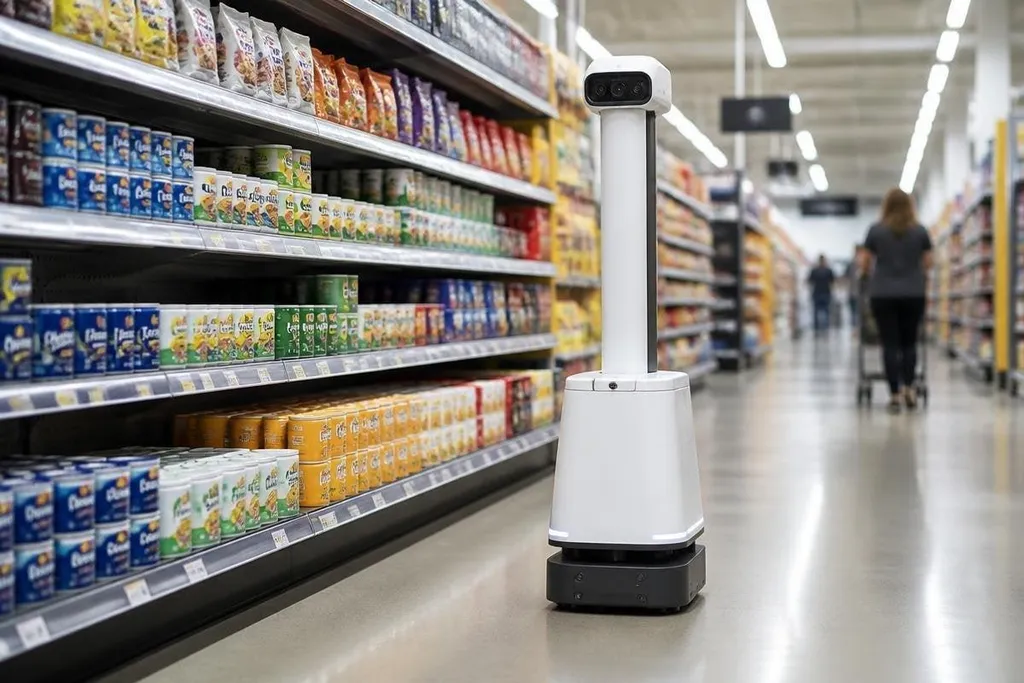
A shelf-scanning robot moves through a store and checks what human staff cannot inspect often enough. Its value comes from finding a specific stock problem, then giving staff enough detail to fix it.
For a store manager, the useful question is not whether the robot looks advanced. It is whether the machine can check the shelves, send usable information, and fit around normal store work.
Quick read
- Cameras and other sensors inspect shelf faces, labels, and gaps.
- The useful output is a task for staff, not another pile of images.
- Store layout, lighting, people, and stock data can limit the result.
What shelf-scanning robots do
A shelf-scanning robot usually carries cameras, onboard computing, and a connection to store software.
It moves along aisles, records shelf conditions, and compares what it sees with the store’s stock records or planograms. A planogram is the layout that shows where each product should sit.
The machine may look for an empty space, a product in the wrong place, a blocked label, or a price tag that does not match the expected position. Each finding matters only when the store can turn it into a clear task.
That task might send a worker to refill a shelf, move an item, check a label, or review a stock record. A report that shows a problem without its aisle, shelf, or product detail leaves the hard work to the person who receives it.
Why stores use them
Shelf checks take time because staff must walk every aisle and inspect products from a useful angle. A robot can repeat the same route and collect records at set times, while staff spend their shift on work that needs hands or judgment.
The value also depends on the store’s existing systems. If the robot’s findings do not connect with inventory software, staff scheduling, or a task app, the machine may create another screen to watch instead of reducing work.
A shelf-scanning robot can spot an empty slot, but that finding still needs a named sensor, store, scan rate, and staff response. Shelf-scanning robot reporting can tie those details to the inventory system and the task created for store staff. That evidence leads to the next problem: what happens when the robot’s reading is wrong?
Where the system can fail
Shelf surfaces are difficult inspection targets. Products can cover labels, packaging can look alike, and customers can block the robot’s view. Glare from packaging or uneven store lighting can also make images harder to read.
The robot’s route creates another limit. A machine that checks only open aisles may miss shelves during busy periods. A store also needs a safe way to pause the robot, change its route, and handle an aisle that has been closed or rearranged.
Stock records can cause trouble too. If the store database is wrong, the robot may report a shelf as incorrect even when the product is where staff expect it to be. Better images cannot fix bad source data.
I'd treat a shelf-scanning robot as an inventory tool first, not as a replacement for store staff. The machine can find repeatable visual problems; people still decide what to do when the shelf, product, or stock record is unclear.
A practical buying checklist
Before a pilot, check these points:
- Inspection target: name the exact shelf problems the robot must find.
- Route access: test aisles during quiet and busy store periods.
- Image quality: check labels, gaps, and similar product packages under real lighting.
- System connection: confirm where findings go and who receives each task.
- Human review: set a process for checking uncertain results.
- Success measure: record time saved, corrected shelves, and missed findings.
A small pilot should use one store area with a known stock problem. That gives the team a reference point and shows if the robot finds issues staff can act on.
The next useful step is not a larger fleet. It is a clear test: how many shelf problems the robot finds, how many are correct, and how long staff need to fix them.